> ## Documentation Index
> Fetch the complete documentation index at: https://sensei.aisbirnusantara.com/llms.txt
> Use this file to discover all available pages before exploring further.
# Change Startup / Egg Environment
> How to switch server runtime environments and eggs in the subscription dashboard
***
### 1. Select Change Egg in Server Subscription
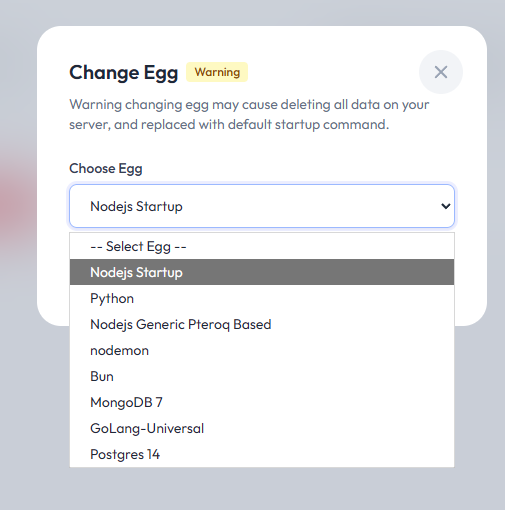
Log in to the client dashboard, open the **Subscription** tab for your server, and click **Change Egg**.

***
### 2. Choose New Environment
Select the environment (egg) you wish to use according to your application or game server requirements (e.g. Node.js, Python, Go, Java, or Minecraft).
***
### ⚠️ Warning
> Changing your **Startup / Environment** will:
>
> * **Wipe all existing server data**
> * Reset server files and configurations to the default template of the new egg
> * Previous files cannot be recovered automatically
>
> **Always ensure you have downloaded all important files before proceeding.**